In this article
You don’t need a camera crew for a Short. You need a phone, a hook, and a format that matches what the algorithm actually rewards.
Most creators skip straight to filming and wonder why their Short barely gets any traction. The problem is rarely the idea. It is usually the format, the first two seconds, or the upload settings. This guide walks through the exact process, start to finish, so your first Short is built the way YouTube’s system expects.
Before You Start
Get these in place before you open the camera:
- A YouTube channel (personal or brand) with upload access
- A phone or camera that shoots vertical video at 1080p or higher
- A quiet space or a simple way to reduce background noise
- One clear idea for the Short (write it in one sentence before filming)
- The YouTube app installed, or access to YouTube Studio for desktop upload
You do not need editing software, a ring light, or a script. Those help later. They are not required for your first Short.
Step 1: Pick One Idea You Can Explain in 30 Seconds
Every strong Short answers one question or makes one point. Not three. One.
Write your idea as a single sentence before you film: “How to reset your Instagram algorithm” or “The mistake that’s killing your watch time.” If you cannot say it in one sentence, the idea is too broad for a Short and belongs in a long-form video instead.
Shorts that try to cover multiple points lose viewers at the transition between ideas. Each cut is a chance for someone to swipe away, and every added idea adds a cut.
Step 2: Shoot Vertical at 9:16, Not Horizontal Cropped to Fit
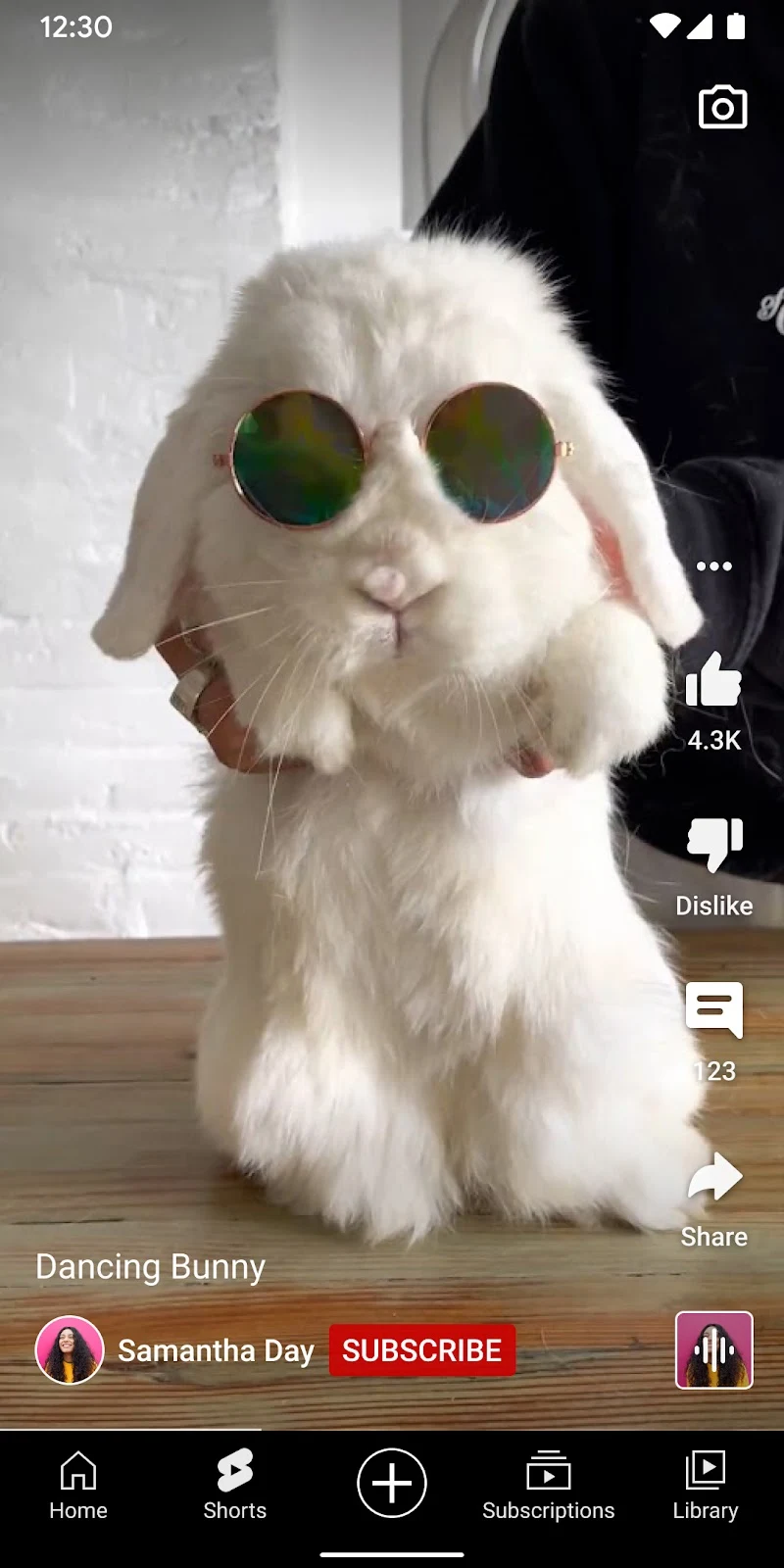
Shorts display in a 9:16 vertical frame, the same aspect ratio as TikTok and Instagram Reels. Filming horizontal and cropping later wastes usable frame and often cuts off the subject.
Set your phone camera to vertical before recording. Most phone cameras default to this in the native camera app or the YouTube app’s built-in Shorts camera.
Per YouTube’s official Shorts creation guidelines , the platform recommends filming natively in 9:16 at a minimum resolution of 1080x1920. Full-frame vertical footage gives the algorithm a cleaner signal about what’s actually in the video, since nothing is cropped or padded with black bars.
If you’re repurposing a clip from a long-form video, reframe it manually so the subject stays centered in the vertical crop. Do not just apply an automatic crop and move on.
Step 3: Keep It Under 60 Seconds (Shorter Usually Wins)
YouTube currently allows Shorts up to 3 minutes, but shorter Shorts tend to hold a higher percentage of viewers to the end, which is one of the signals the Shorts system weighs most heavily.
A useful starting range: 15 to 34 seconds for a single-point tutorial or opinion, 40 to 60 seconds if you’re walking through a multi-step process. Anything past 60 seconds needs a strong enough hook and pacing to justify the extra length, since attention drops the longer the video runs.
Test both ranges over your first 10 to 15 uploads and compare completion rate in YouTube Studio. Your specific audience and niche will tell you which length performs best. Do not assume shorter is always right. Assume you need the data.
Step 4: Write and Deliver a Hook for the First 2 Seconds
The first two seconds decide whether someone stays or swipes. This is not an exaggeration. It is the single highest-leverage part of the entire Short.
Four hook types that consistently outperform a slow open:
- The knowledge gap. “You’re doing this wrong. Here’s the fix.” Creates an unresolved question the viewer wants answered.
- The visual interrupt. Open on motion, a close-up, or something unexpected. A static talking-head opening gives the algorithm nothing to grab attention with.
- The specific claim. “This one setting change doubled my watch time.” Specificity reads as credible in a way vague claims don’t.
- The relatable situation. “If your Shorts get views but no subscribers, watch this.” Recognition pulls people in fast.
Never open with your name, a greeting, your channel name, or “in today’s video.” Every one of those tells the viewer the actual content hasn’t started, and that reads as a swipe-away signal.
Step 5: Edit for Pace, Captions, and a Clean Cut Rhythm
Editing a Short is different from editing long-form. The goal is momentum, not polish.
Core editing moves:
- Cut dead air. Remove pauses, filler words, and false starts. A Short should feel like it has no wasted frames.
- Add captions. A large share of Shorts viewers watch with sound off, especially in public or on commutes. Burned-in captions keep the message intact either way.
- Use jump cuts every 2 to 4 seconds. Frequent visual changes hold attention better than long static shots, even in talking-head content.
- Add on-screen text for key points. Reinforce your spoken hook with a text overlay in the first frame. Redundancy across audio and visual channels improves comprehension and retention.
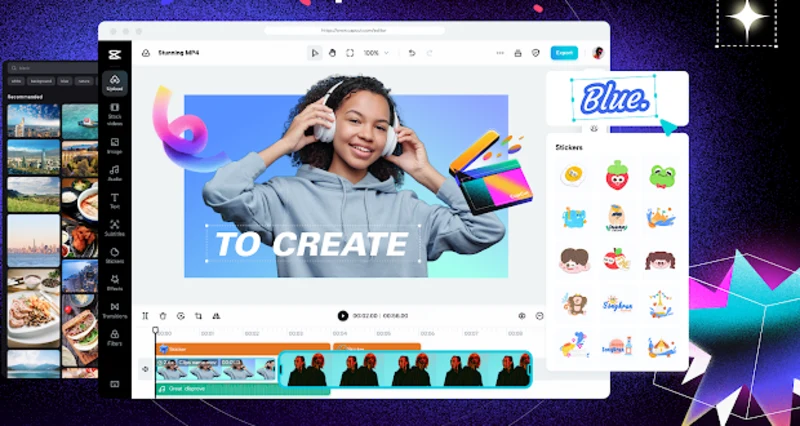
Free tools that handle all of this on a phone include CapCut, InShot, and YouTube’s own built-in Shorts editor. None of them require a paid tier to produce a publishable edit.
Step 6: Choose Audio That Fits the Content, Not Just What’s Trending
YouTube surfaces Shorts through audio-based discovery feeds, meaning a trending sound can get your video shown to people who have never seen your channel, even with zero subscribers.
To find trending audio: open the Shorts camera in the YouTube app, tap the Audio tab, and browse sounds marked as trending in your region. According to the YouTube Creators blog , trending-audio windows are short, often just a few days before saturation sets in.
The catch: mismatched audio hurts more than it helps. A serious topic paired with a comedic trending sound confuses the tone and increases swipe-away rate, canceling out any distribution benefit. Match the mood first. Chase the trend second.
Original audio works fine too, particularly for tutorial or explainer content where a voiceover carries the information.
Step 7: Engineer an Ending That Loops or Prompts a Rewatch
Shorts that loop cleanly, where the last frame flows back into the first, get replayed automatically before a viewer decides to swipe away. Each replay counts toward completion signals the Shorts system tracks.
Three ways to build a loop:
- Visual loop: End on a frame that visually matches your opening frame.
- Narrative loop: Close with a question your opening already implied the answer to, prompting a rewatch to catch it.
- Audio loop: Choose a track that resets naturally at the same beat as your opening.
Not every format lends itself to looping. Straightforward tutorials often work better ending on a clear, complete answer instead of forcing a loop that feels gimmicky.
Want the full breakdown of what actually drives Shorts distribution? Download the free Algorithm Decoder , platform signals and posting mechanics explained in plain language. Free. No pitch.
Step 8: Add the Right Title, Description, and #Shorts Tag, Then Upload
Once your edit is final, upload through the YouTube app or YouTube Studio.
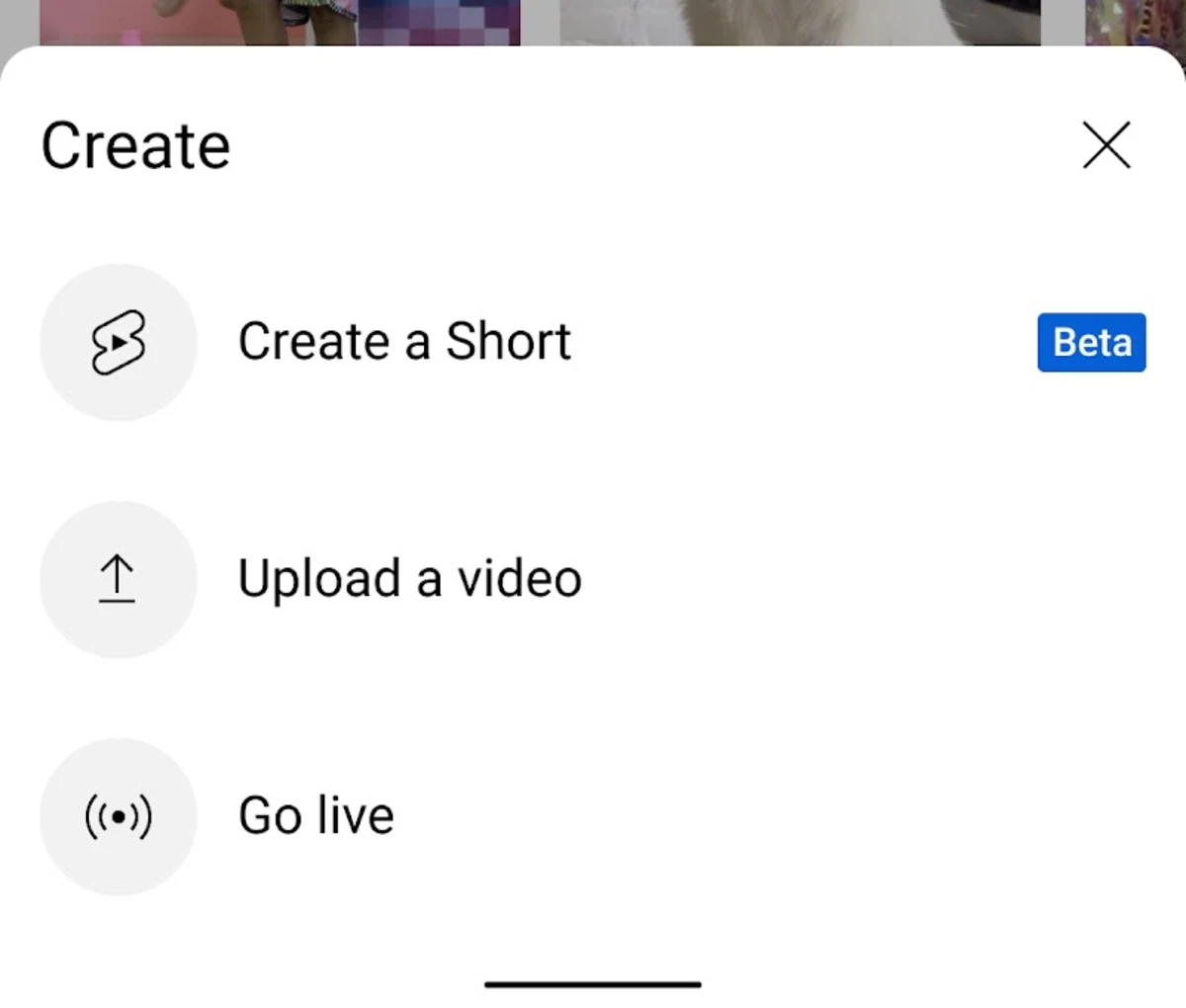
- Open the YouTube app and tap Create, then Create a Short, or upload a finished vertical clip directly.
- Add your video file if uploading rather than filming in-app.
- Write a short, specific title. Include your target keyword naturally, without keyword-stuffing.
- Add
#Shortsin the title or description. This is no longer strictly required for eligibility per YouTube’s current documentation, but it remains a clear signal to the system and to viewers browsing the Shorts shelf. - Add 3 to 5 relevant tags. Skip broad, generic tags like #viral, which are too diluted to help targeting.
- Set visibility to Public, or Scheduled if you’re batching uploads for a consistent posting cadence.
- Publish.
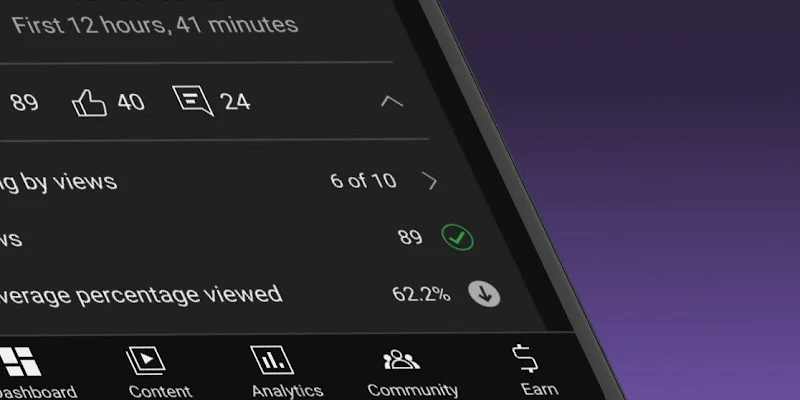
Check performance in YouTube Studio under Content, filtered to Shorts, after the first 24 to 48 hours. Completion rate and average percentage viewed are the two numbers to look at first.
Common Mistakes When Making YouTube Shorts
Mistake 1: Filming horizontal and cropping to vertical afterward
Cropped horizontal footage often loses the subject at the edges and looks visibly different from natively shot vertical content. Shoot vertical from the start.
Mistake 2: Treating the first 5 seconds as an intro instead of the hook
Any greeting, channel branding, or “let me tell you about” opening pushes your actual hook past the window where most swipe-away decisions happen. Cut straight to the point.
Mistake 3: Repurposing long-form clips without re-editing the pace
A 3-minute segment lifted from a podcast or long-form video and trimmed to 60 seconds usually still has the pacing of long-form content: slower cuts, more dead air. Re-edit for Shorts pace specifically, don’t just trim.
Mistake 4: Publishing without captions
Silent autoplay and sound-off viewing are common on Shorts. A Short with no captions loses viewers who can’t or won’t turn sound on, particularly in the first watch-through before someone decides to engage further.
Mistake 5: Judging performance after one or two uploads
Shorts performance varies significantly video to video, especially early on. One low performer doesn’t mean the format or topic failed. Compare averages across at least 8 to 10 uploads before drawing conclusions about what’s working.
Frequently Asked Questions
How do I make a YouTube Short?
Open the YouTube app, tap Create, then Create a Short, and film vertically in 9:16 at 60 seconds or under. Add a hook in the first 2 seconds, captions, and relevant audio, then publish with a specific title and 3 to 5 tags. The full process takes most creators 20 to 40 minutes once the workflow is familiar.
What length should a YouTube Short be?
YouTube allows Shorts up to 3 minutes, but 15 to 60 seconds performs most consistently for new channels because shorter videos hold a higher percentage of viewers to completion. Single-point content works well under 34 seconds. Multi-step content can extend to 60 seconds if the pacing stays tight throughout.
Do I need editing software to make a YouTube Short?
No. Free mobile apps like CapCut, InShot, and YouTube’s built-in Shorts editor handle cuts, captions, and text overlays without a paid subscription. Many creators produce fully edited Shorts entirely on a phone, without ever opening desktop software.
Does adding #Shorts to the title still matter in 2026?
Per YouTube’s current documentation, #Shorts is no longer strictly required for a video to be classified as a Short, since the format is primarily detected by aspect ratio and duration. Adding it is still a useful signal for viewers browsing the dedicated Shorts shelf and costs nothing to include.
Why do some Shorts get views and others don’t?
Most of the difference comes down to the first 2 seconds and the completion rate that follows. A weak hook causes viewers to swipe before the algorithm gets a strong engagement signal to work with. Comparing your top and bottom performing Shorts in YouTube Studio usually reveals a clear pattern in hook strength and pacing.
Keep Reading
- YouTube Shorts Algorithm Explained : the specific ranking signals covered in Step 4 and Step 7, broken down in depth
- How to Get More Views on YouTube Shorts : what to do once your Shorts are live and you’re optimizing for reach
- How to Grow a YouTube Channel Fast in 2026 : how Shorts fit into a broader channel growth strategy
What to Do Next
Choose the path that fits where you are right now.
Score your last 10 Instagram posts against the 6 signals.
Free Algorithm Decoder. The 6 signals Instagram ranks on, their weights, and a self-audit scorecard for your last 10 posts. 15-minute audit.
Send Me the Algorithm DecoderTake the Growth Scorecard
Find your highest-leverage next step before you keep posting.
Take the ScorecardRelated Articles
Best Time to Post on YouTube in 2026: A Data-Backed Guide
Best time to post on YouTube depends on your audience's watch habits. Find your peak upload window using YouTube Studio data.
Best YouTube Thumbnail Size: The Complete Setup Guide (2026)
The best YouTube thumbnail size is 1280x720 pixels at 16:9 aspect ratio. Here is how to set it up correctly, avoid common mistakes, and check your results.
YouTube Thumbnail Tips That Actually Get Clicks (2026 Guide)
YouTube thumbnail tips for creators who want higher CTR. Research, design, and iterate your thumbnails with these step-by-step tactics.