How to Increase Watch Time on YouTube
In this article
Watch time is YouTube’s most important ranking signal. It determines where your videos appear in recommendations, search, and homepage — and it compounds over time.
Most creators know watch time matters. Fewer know exactly what hurts it and what fixes it. The difference between a channel stuck at 40% average view duration and one consistently hitting 60% is usually a handful of specific structural decisions — not production quality, not equipment, and not charisma. This guide covers the mechanics that actually move the metric.
Why does watch time matter more than views on YouTube?
Watch time is YouTube’s primary ranking signal because it correlates with viewer satisfaction more reliably than view count alone. A video with 10,000 views and 70% average view duration will outrank a video with 50,000 views and 20% average view duration in recommendations and search. More total watch time also increases your channel’s overall recommendation authority.
Watch time is measured two ways on YouTube: total watch time (minutes watched across all videos) and average view duration (the percentage or time viewers typically watch per video). Both matter, but they matter in different contexts.
Total watch time determines your overall channel authority in recommendations. YouTube’s algorithm uses it as a signal that your channel keeps viewers on the platform — which is what YouTube optimizes for. This is also the watch time metric required for monetization (4,000 hours in 12 months).
Average view duration determines how individual videos rank against others in search and suggested feeds. It’s the more actionable metric because you can influence it through content structure.
The relationship between the two: posting more videos increases total watch time even if duration stays the same. But improving average view duration on existing videos improves every video’s ranking simultaneously.
Check both metrics in YouTube Studio → Analytics → Overview → Watch time and Average view duration.
What is the first-30-second retention cliff and how do you fix it?
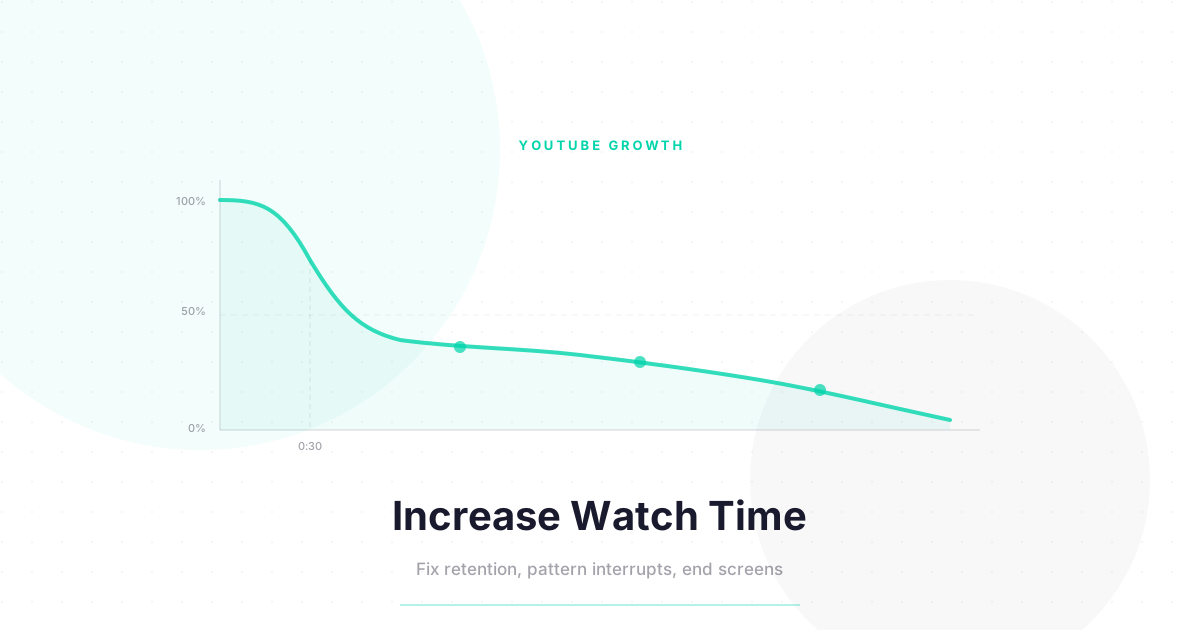
Most YouTube channels lose 40–60% of their viewers in the first 30 seconds. This is called the retention cliff, and it’s the single most damaging structural problem for watch time. Fixing it requires eliminating everything in your opening that delays value delivery — intros, greetings, channel plugs, and “in today’s video” previews all come after the hook, not before.
The first-30-second cliff appears on almost every YouTube retention graph. Viewers arrive expecting value. If your opening doesn’t immediately signal that value is coming, they leave.
The anatomy of a strong opening (the first 30 seconds):
Seconds 0–5: The hook. Start with the most interesting, surprising, or useful thing in your video. Not your name. Not your channel. Not “before we start.” Lead with value.
Seconds 5–15: The proof or context. One sentence establishing why you can speak to this topic. Evidence first — results, credentials, or experience. Not biography.
Seconds 15–30: The promise. Tell viewers specifically what they’ll know or be able to do by the end. “By the end of this video, you’ll have a system for [specific outcome].” This is the contract that keeps people watching.
What to cut from your opening:
- Formal introductions (“Hi, I’m [name], welcome to [channel]”)
- Long-winded channel descriptions
- Asking for likes or subscribes before delivering value
- Recaps of previous videos
- Sponsored reads (move these to the 25–30% mark instead)
The YouTube Creator Academy covers hook structure as part of their video optimization curriculum. The principle: the first 15 seconds have to earn the next 15.
What are pattern interrupts and how often should you use them?
Pattern interrupts are deliberate changes in your video’s visual, audio, or pacing that reset viewer attention. Effective pattern interrupts every 90–120 seconds prevent the gradual attention decay that kills watch time in the middle section of videos. Channels that use them consistently report 15–25% higher average view duration on comparable content.
Viewer attention naturally decays over time. This is not a failure of your content — it’s how human attention works. Pattern interrupts counteract this decay by introducing novelty at regular intervals.
Common pattern interrupt techniques:
Visual: Cut to a different camera angle, add a graphic, B-roll, or on-screen text. The change in visual input resets attention without requiring any change in what you’re saying.
Audio: Change the music level, add a sound effect, or use silence deliberately. Audio changes are processed by a different part of the brain than visual content, making them unexpectedly effective.
Pacing: Speed up the edit, cut to a faster sequence, or use a zoom cut. The change in pace signals “something important is happening” even when the content itself is similar.
Reorientation: Directly address the viewer. “Here’s where it gets interesting” or “Pay attention to this next part” are verbal pattern interrupts. They’re slightly less effective than visual/audio ones because they’re expected, but they work as complements.
Pattern interrupt schedule for a 10-minute video:
| Timestamp Range | Technique |
|---|---|
| 0:00–0:30 | Strong opening hook (not technically a pattern interrupt, but functions like one) |
| 2:00–2:30 | First B-roll or graphic cutaway |
| 4:00–4:30 | Tonal shift, zoom cut, or audio change |
| 6:00–6:30 | Chapter transition with visual element |
| 8:00–8:30 | Re-engagement verbal check-in + graphic |
| 9:30–10:00 | Final value delivery + end screen setup |
Do YouTube chapter markers help or hurt watch time?
Chapter markers (timestamps) have a mixed effect on watch time. They help viewers navigate to relevant sections, which can increase overall satisfaction and return visits. But they also allow viewers to skip sections, which reduces average view duration per session. The net effect depends on your content type: tutorials and long-form explainers benefit from chapters; narrative and entertainment content often doesn’t.
Chapter markers appear as visual segments in the progress bar and as a table of contents below the video. When you add them, YouTube surfaces specific chapters in search results — a potential discovery benefit.
When to use chapters:
- Tutorials and how-tos: Viewers often return to reference specific steps. Chapters enable this, which increases return-visit watch time even if it reduces single-session duration.
- Long explainers (15+ minutes): Without chapters, viewers abandon long videos without getting to the valuable sections. Chapters let them jump to what matters and actually watch more.
- Interview and podcast formats: Chapters by guest topic let viewers skip to conversations they care about and discover ones they didn’t expect to care about.
When to skip chapters:
- Narrative or story-driven content: Skipping kills the narrative. Don’t enable skipping behavior.
- Short videos (under 8 minutes): Chapters in short videos fragment the experience without adding meaningful navigation benefit.
- Entertainment and reaction content: The value is in the linear experience. Chapters undermine this.
For chapter markers to be eligible to show in search, the video needs to be at least 3 chapters long, and each chapter must be at least 10 seconds. YouTube auto-generates chapters if your timestamps fit the pattern — you can disable this in video settings.
How does end screen placement affect watch time?
End screen elements appear in the last 20 seconds and signal to viewers that the video is ending. Placing your end screen call-to-action too early — before your video’s final value delivery — causes premature drop-off. Delay end screen animations and verbal CTAs until the final 10–12 seconds to protect watch time in the final third of your video.
This is a counterintuitive watch time leak that affects many creators. Adding end screens too early unintentionally signals “we’re done here” to viewers — and they act on it.
The end screen timing problem: if you start promoting your next video or saying “that’s it for today” at the 8-minute mark of a 10-minute video, viewers start leaving at 8 minutes. Your retention graph shows a cliff at 80% through the video — not because the content failed, but because your signaling did.
End screen best practice for watch time:
- Continue delivering value through 95% of your video. The final 5% is where the CTA lives.
- Don’t use the word “lastly” or “finally” before minute 9 of a 10-minute video. These are exit triggers.
- Set end screen elements to appear at the last 15 seconds, not the last 20. The extra 5 seconds of content extend viewer engagement.
- Tease the end screen before it appears. “I’ll link the next video in the end screen” is said at minute 7. The end screen itself doesn’t appear until minute 9:45. This primes viewers to stay without triggering early exit.
What is the relationship between watch time and subscriber conversion?
Viewers who watch 70% or more of a video subscribe at 4–6x the rate of viewers who watch under 30%. High watch time doesn’t just improve recommendations — it dramatically increases subscriber conversion. This means watch time optimization and subscriber growth are not separate goals. They’re the same goal measured differently.
This relationship explains why the best subscriber growth tactics all trace back to watch time. A channel with excellent watch time retention naturally converts more subscribers per view than one with low retention, even if both channels have identical thumbnail CTR and similar production value.
The watch time → subscriber chain:
- High average view duration improves video ranking in recommendations
- Better ranking brings more impressions from non-subscribers
- Viewers who watch more of the video trust the channel more
- High-trust viewers subscribe at higher rates
- More subscribers create a larger initial distribution pool for the next video
- Which improves the next video’s watch time… (cycle repeats)
The internal reinforcing loop is why early investment in watch time optimization pays compounding dividends. See How to Get More YouTube Subscribers for how to close the conversion loop.
Watch Time Benchmarks by Content Type and Length
| Content Type | Target Avg. View Duration | Notes |
|---|---|---|
| Tutorial / How-to (5–10 min) | 55–70% | High-intent viewers stay longer |
| Educational explainer (8–15 min) | 45–60% | Longer format reduces % but increases total minutes |
| Vlog / lifestyle (8–15 min) | 35–55% | Personality-dependent, harder to benchmark |
| Review / comparison (5–10 min) | 50–65% | Decision-stage viewers stay to get the answer |
| Entertainment / reaction (5–12 min) | 40–60% | High variation by niche and creator |
| Long-form deep dive (20–60 min) | 30–45% | Lower % is acceptable given high total minutes |
| Shorts (under 60 sec) | 70–90%+ | Completion-rate metric replaces view duration |
The YouTube blog periodically publishes creator benchmarks and case studies. Use these as directional targets, not hard pass/fail thresholds — your specific niche will have its own norms.
For more on how watch time interacts with the algorithm, see the YouTube growth hub and the YouTube Shorts Algorithm for the parallel signals in short-form content.
Want a watch time audit checklist for your existing videos? Subscribe to the newsletter — every Tuesday, actionable YouTube optimization tactics for growth-stage creators.
FAQ: YouTube Watch Time
What is a good average view duration percentage? For videos under 10 minutes, 50–70% is strong. For videos over 10 minutes, 40–55% is solid. What matters more than the absolute percentage is your trend — are you improving over time? And how do you compare to your own channel’s average?
Does watch time from replays count? Yes. Every view of a video, including replays, contributes to total watch time. This is why looping content and rewatchable tutorials accumulate watch time faster than one-and-done entertainment.
How do I find where viewers are dropping off in my videos? YouTube Studio → Content → select a video → Analytics → Audience retention. The graph shows the exact percentage of viewers still watching at each second. The sharpest drops reveal where your content is losing people.
Does background video watching (viewers who navigate away but leave the tab open) count? No. YouTube requires the video to be in an active, visible tab for watch time to count. Background audio mode in the YouTube app does count if the viewer paid for YouTube Premium.
Should I make shorter videos to increase average view duration percentage? Not necessarily. A 5-minute video with 80% retention gives 4 minutes of watch time. A 12-minute video with 55% retention gives 6.6 minutes — significantly more total watch time with a lower percentage. Shorter isn’t automatically better. The goal is maximum total minutes watched, not maximum percentage.
Keep Reading
What to Do Next
Choose the path that fits where you are right now.
Pick Your Niche
Download the free Instagram Algorithm Decoder. See the 6 signals Instagram uses to rank your content, their approximate weights, and a self-audit to score your last 10 posts.
Download FreeStart Building
Read the step-by-step setup guide for your platform.
Get Weekly Tactics
One tip, one tool, one case study. Every Tuesday.
Free. No spam. Unsubscribe anytime.