How to Get More LinkedIn Followers
In this article
Getting LinkedIn followers is a mechanics problem. Solve the mechanics.
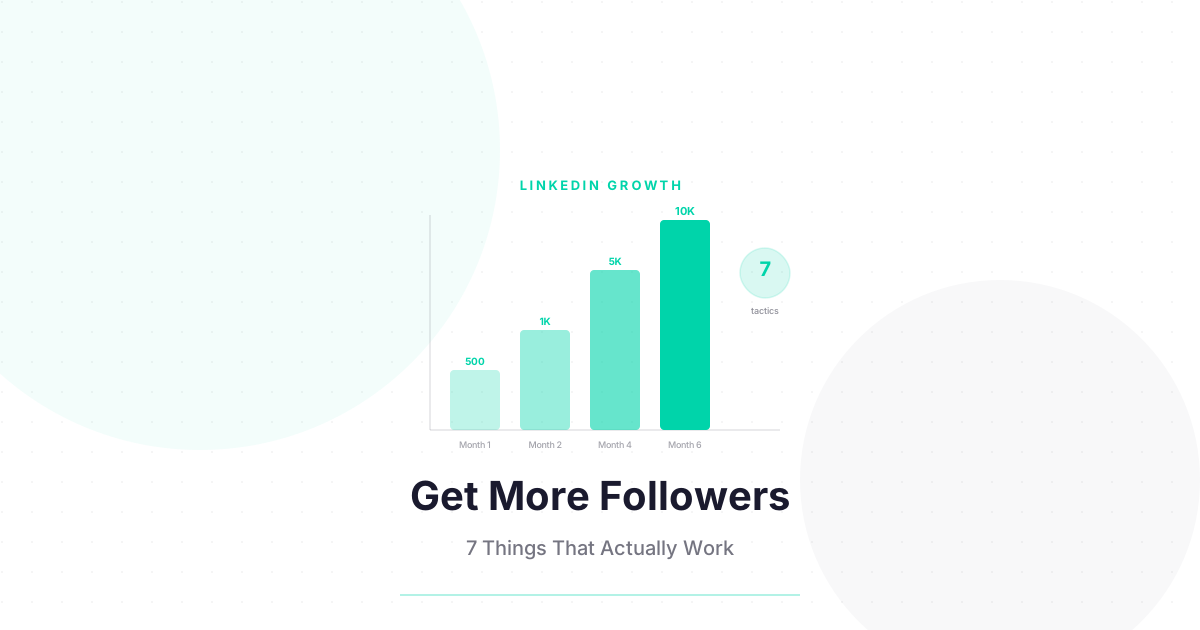
There is no mystery to LinkedIn follower growth in 2026. The platform rewards specific, well-documented behaviors with reach, and reach converts into followers when your profile is set up to receive them. The creators who are growing the fastest on LinkedIn right now are not doing anything complicated — they have identified 4–5 of these mechanics and are executing them consistently. This guide covers the 7 tactics that actually move the follower count, ranked by the effort required and the typical return.
Why Do LinkedIn Followers Matter More Than Connections?
LinkedIn followers are one-directional: someone opts in to see your content without requiring mutual agreement. Connections are mutual and have a practical limit of around 30,000 before LinkedIn restricts your account. For content creators, followers are the correct growth metric because they represent your potential organic content reach, not just a contact list. One post that resonates can convert hundreds of non-followers into followers in 24 hours.
Followers and connections are fundamentally different relationship types on LinkedIn. A connection means you both agreed — your posts appear in each other’s feed by default. A follower means one person chose to see your content, with no obligation on your side.
For creators, this distinction matters for three practical reasons:
Followers scale without limits. Your connection count has a hard ceiling and a weekly request throttle. Your follower count can grow by thousands from a single viral post with no additional action on your part.
Followers self-select for your content. A connection might follow you back out of social obligation. A follower specifically chose your content. Your follower audience is higher quality for content reach than an equivalent connection count.
The Follow CTA converts better than Connect. When Creator Mode is enabled, visitors see “Follow” as the primary button on your profile. It is one click, no approval needed. This conversion efficiency compounds every time your content reaches a new person.
For the strategic overview of follower growth vs. connection growth, see the How to Grow LinkedIn Followers guide. This article focuses on the 7 specific tactics that acquire followers at scale.
What Is the Fastest Way to Get More LinkedIn Followers?
Enabling Creator Mode is the single highest-leverage, zero-effort change you can make to your LinkedIn profile for follower acquisition. It switches your primary CTA from “Connect” to “Follow,” making it frictionless for anyone who finds your content to subscribe to your updates. Every other tactic on this list assumes Creator Mode is already enabled. If it is not, that is your first step.
Creator Mode is covered in depth in the LinkedIn Creator Mode guide. For now, the short version: go to your LinkedIn profile, scroll to the Resources section, click “Creator Mode: Off,” and toggle it on. Select 5 topic hashtags. Done. The CTA switch happens immediately.
Why this matters numerically: if 100 people visit your profile in a week and your CTA is “Connect,” perhaps 15–20 accept (the rest are not interested in a mutual connection with a stranger). If your CTA is “Follow,” the same 100 visitors might convert at 30–45%, because following requires no commitment. Over a year, that conversion rate difference compounds into thousands of additional followers from the same traffic.
How Does Enabling Creator Mode Grow Your LinkedIn Following?
This has been covered above, but it deserves its own numbered entry because it is genuinely the highest-leverage change.
What to do: Enable Creator Mode. Visit your own profile and confirm the primary CTA is “Follow.” Check that your Creator Topics are specific and relevant (not generic hashtags like #Business).
Time to implement: 5 minutes. Expected follower impact: Ongoing — passive amplification of every other tactic on this list.
How Does Commenting on Bigger Accounts Drive Your Own Follower Growth?
Commenting on posts from creators with 10,000+ followers is the fastest organic follower acquisition tactic available on LinkedIn. Your comment is visible to everyone who views that post — which is a much larger audience than your own followers. A substantive comment that adds genuine value prompts readers to click your name, visit your profile, and follow. 10–15 high-quality comments per day, 5 days a week, compounds significantly over 30–60 days.
This tactic works because of a specific LinkedIn mechanic: when you comment on a post, your comment appears in the comments section, which is visible to everyone who engages with that post. If the original post has 50,000 impressions, your comment potentially gets seen by a fraction of that audience.
The critical variable is comment quality. Three types of comments that generate profile clicks:
The additional angle: “This is exactly right. I’d add that the timing matters even more than most people realize — we ran a 3-week test comparing 8am vs 12pm posts and saw a 40% impression difference. Happy to share the data.”
The respectful disagreement: “Interesting take. My experience is the opposite — carousel reach has been declining for me in Q1 2026. Wondering if this is niche-specific. What sector are you posting in?”
The specific follow-up question: “Did you notice a difference in follower quality from carousels vs. text posts? The saves data makes sense, but I am curious whether the followers who convert from carousels are more engaged long-term.”
These comments generate likes and replies, which means they get shown to more people. A comment with 15 likes gets far more visibility than a comment with 0.
The commenter’s selection criteria:
- Target creators with 5,000–50,000 followers in your niche (large enough for reach, not so large your comment drowns in hundreds of others)
- Comment within the first hour of the post being published (early comments get more visibility)
- Comment on posts that already have 10+ comments (these are the posts getting distribution)
How Does the LinkedIn Newsletter Flywheel Grow Your Following?
LinkedIn Newsletters create an automatic follower acquisition loop: every new newsletter subscriber automatically follows your LinkedIn profile. A newsletter with 3,000 subscribers generates 3,000 automatic followers, plus ongoing in-app and email notifications every time you publish. This is the single best passive follower acquisition mechanism on LinkedIn, and it is available for free with Creator Mode enabled.
The mechanism: when someone subscribes to your LinkedIn Newsletter (by clicking “Subscribe” on your newsletter page or being directed to it), LinkedIn automatically creates a follow relationship from that subscriber to your profile. They do not have to separately click “Follow” — the subscription does it.
This creates a compounding flywheel:
- You publish a LinkedIn Newsletter issue
- Subscribers get notified and read the issue
- Some subscribers share the newsletter or recommend it to others
- New subscribers join, which means new followers are added automatically
- Your follower count grows even when you are not actively posting feed content
How to accelerate this flywheel:
- Mention your newsletter at the end of every feed post (“I write about this every week in [Newsletter Name] — subscribe via the link on my profile”)
- Add your newsletter link to your LinkedIn profile’s Featured section
- Collaborate with other creators in adjacent niches to cross-promote newsletters
The owned audience caveat: LinkedIn newsletter subscribers are not the same as email list subscribers. LinkedIn controls the relationship — you cannot export the subscriber list or contact them outside of LinkedIn. Treat your LinkedIn Newsletter as a reach amplifier within LinkedIn, and build a separate email list (using your own platform) for the audience you truly own.
For the full picture on newsletter strategy, see the Growth Hub.
Why Should You Pin Your Best Post to Your Profile?
Your pinned post is the first piece of content a profile visitor sees after your header. If it is your best-performing post — your highest-reach, most insightful, most shareable piece of content — it converts profile visitors into followers at a higher rate than any other single profile element. Audit your top 5 posts by impressions and pin the one that best represents what you create.
When someone clicks your name after seeing your comment or discovering your content, they land on your profile. The pinned post tells them in 5 seconds whether following you is worth their time.
A poorly chosen pinned post (an old, irrelevant post, or worse, a promotional post) signals that your regular content is not worth following. A well-chosen pinned post — your best insight, your most useful framework, your most engaging piece of content — immediately demonstrates the value of following you.
How to pin a post: Click the three dots (…) on any of your own posts. Select “Pin to top of profile.” Your pinned post appears at the top of your Activity section with a pin icon.
What to pin:
- Your highest-impression post from the last 90 days
- Your most-saved carousel
- A post that got 50+ comments (signals that you generate real discussion)
- A post that clearly demonstrates your area of expertise
What not to pin:
- Promotional posts (“My new course is live!”)
- Congratulation posts (“Excited to announce I’ve joined…”)
- Very old posts (content dated 2+ years ago signals you are not currently active)
Update your pinned post every 60–90 days, or whenever you create something that outperforms your current pin.
How Does Cross-Promoting on Other Platforms Drive LinkedIn Followers?
Every platform where you have an existing audience is a source of LinkedIn followers, if you make the path visible. Add your LinkedIn URL to your Instagram bio, email signature, and Twitter/X profile. Mention your LinkedIn content in your email newsletter. The average creator leaves hundreds of potential LinkedIn followers on the table by never connecting their cross-platform audiences.
Most creators treat their platforms as separate silos. Their Instagram audience does not know they are on LinkedIn. Their email subscribers have never been invited to follow their LinkedIn. This is a missed opportunity — you have already earned trust with those audiences, and extending them to LinkedIn requires one step: a visible link and a clear reason to follow.
Platform-by-platform cross-promotion:
| Platform | How to Cross-Promote | What to Say |
|---|---|---|
| Instagram bio | Add LinkedIn URL to bio link tree | “LinkedIn: professional + B2B content” |
| Email newsletter | Add LinkedIn link to email signature | “Follow on LinkedIn for shorter-form takes” |
| Twitter/X profile | Add LinkedIn to profile links | “Longer content on LinkedIn” |
| YouTube | Mention in video, link in description | “For the written breakdown, LinkedIn” |
| Personal website | Add LinkedIn icon to social links | Standard practice |
The key is giving each audience a clear reason to follow — not just a link. “Follow my LinkedIn” is weaker than “I post a LinkedIn deep-dive on [your topic] every Wednesday — link below.” One is a call to action with no benefit statement. The other gives a reason to act.
Want to know which signals drive LinkedIn reach right now? The free Algorithm Decoder covers every signal. Free.
Why Should You Engage With Follower Posts Right After Publishing?
Posting on LinkedIn and then going dark is a missed follower acquisition opportunity. The 60–90 minutes after you publish are the highest-leverage window for follower growth. Engaging with your followers’ content during that window keeps you visible in their feed, generates reciprocal engagement on your own post, and maintains the wave 1 engagement signal that drives wave 2 distribution.
LinkedIn’s algorithm distributes your post in waves. Wave 1 (the first 60–90 minutes) determines whether wave 2 happens. To maximize wave 1 engagement:
Reply to every comment on your post within the first hour. Each reply is counted as an additional comment, which signals ongoing discussion. It also sends a notification to the commenter, which often brings them back to like or reply again.
Engage with your followers’ content right after posting. This is not a manipulation tactic — it is LinkedIn’s documented reciprocity mechanic. When you engage with someone’s post, they receive a notification. If they are online, many will scroll over to see what you just posted. This is a real, above-board mechanism for extending your wave 1 engagement.
Do not post and immediately close the app. The 60-minute window after posting is when you should be most active on LinkedIn — engaging, responding, and staying visible in your followers’ feeds.
What Is the Minimum Viable Posting Cadence for LinkedIn Growth?
Consistency beats frequency on LinkedIn. A creator who posts 3 times per week every week for 6 months outperforms a creator who posts 7 times per week for 3 weeks and then disappears. The algorithm builds a distribution baseline from your posting history — breaks in that baseline reset the baseline downward. Find the cadence you can sustain without quality sacrifice, and protect it.
The follower growth table by cadence, based on observed LinkedIn creator patterns:
| Weekly Cadence | Follower Growth Rate | Notes |
|---|---|---|
| 1x/week | Slow | Algorithm baseline is weak, single miss = week lost |
| 2x/week | Moderate | Below threshold for strong compounding |
| 3x/week | Good | Recommended minimum for consistent growth |
| 4–5x/week | Strong | Best compound growth; quality must hold |
| Daily (7x/week) | Variable | Quality often drops; algorithm baseline can be damaged |
The minimum viable cadence question: ask yourself what you can sustain for 6 months without burning out or reducing quality. For most solo creators, that answer is 3 posts per week. Start there.
The quality protection rule: if you cannot write a post worth reading this week, do not publish. One missed week at 3x cadence has almost no long-term impact. A week of low-quality filler posts has a measurable negative impact on your engagement rate baseline, which takes weeks to recover.
For the content calendar system that helps you maintain cadence without running out of ideas, see the LinkedIn Content Strategy guide.
Frequently Asked Questions
How long does it take to get 1,000 LinkedIn followers? With Creator Mode enabled, consistent posting at 3–4 times per week, and daily commenting on larger accounts, most creators reach 1,000 followers within 60–90 days. Starting from zero with a new account can take longer — the algorithm takes time to establish your distribution baseline. The first 500 followers are the hardest; growth typically accelerates after that.
Does LinkedIn show you who your followers are? LinkedIn shows you aggregate follower demographics (location, job title, industry, company size) through Creator Analytics, but not a complete list of individual followers by name. You can see who liked or commented on your specific posts, but not a comprehensive follower list in the way Instagram allows.
Can you buy LinkedIn followers? You can, but you should not. Purchased followers are either bots or real people paid to follow accounts they have no interest in. They do not engage with your content. Low engagement from a large follower base signals to LinkedIn’s algorithm that your content is low quality, which reduces your organic distribution to your real audience. Buying followers actively damages your reach.
What is a good LinkedIn follower count for a creator? Context matters, but directional benchmarks: 500–1,000 followers is enough to start seeing some organic reach beyond your immediate network. 3,000–5,000 followers is where most creators start seeing posts reach non-followers regularly. 10,000+ followers puts you in the top tier of LinkedIn content creators for most niches. The quality and engagement rate of your followers matters more than the raw number.
Do LinkedIn followers see all my posts? Not necessarily. LinkedIn’s algorithm delivers your posts to a subset of your followers based on their predicted likelihood to engage. A highly engaged follower who regularly interacts with your content will see more of your posts than a passive follower who never engages. This is why engagement rate matters as much as follower count — followers who engage drive further distribution; followers who do not engage are passive in terms of your reach.
Keep Reading
- How to Grow LinkedIn Followers Without Being Cringe — the strategic anti-cringe framework and algorithm breakdown
- LinkedIn Creator Mode: Is It Worth Turning On? — the complete Creator Mode decision guide
- How to Grow Your LinkedIn Network — the connection-building system that feeds your follower growth
What to Do Next
Choose the path that fits where you are right now.
Pick Your Niche
Download the free Instagram Algorithm Decoder. See the 6 signals Instagram uses to rank your content, their approximate weights, and a self-audit to score your last 10 posts.
Download FreeStart Building
Read the step-by-step setup guide for your platform.
Get Weekly Tactics
One tip, one tool, one case study. Every Tuesday.
Free. No spam. Unsubscribe anytime.